What if the file itself was how you found the note?
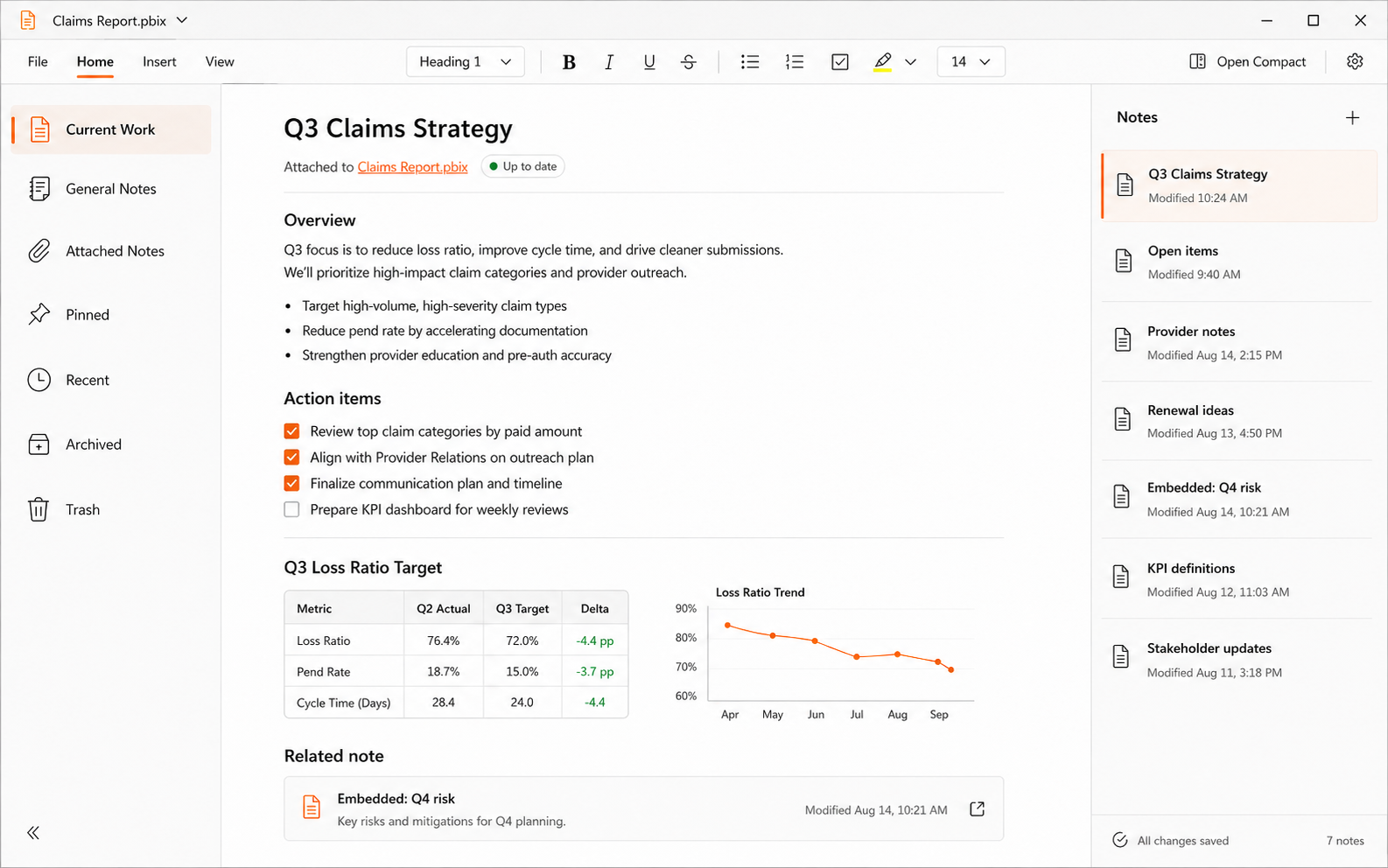
ClingNote is built around a simple idea: you should not have to remember where you filed the note about a piece of work. Open the work again and the relevant context can come back with it.
Use the file as the organizing system
Traditional note apps usually ask you to organize context by notebook, folder, tag, title, or search. ClingNote can still do normal notes and search, but attached notes add another route: the work itself.
A spreadsheet can have one set of notes, a PDF another, a report another, and a project another. You can switch between them without turning your note library into a mirror of your entire file system.
File types are not the point
The useful part is that ClingNote is not built around a single document format. Spreadsheets, PDFs, reports, documents, code/project work, and other Windows file-based workflows can all use the same context pattern.
Common questions
Is ClingNote limited to Excel or PDFs?
No. Those are common examples; ClingNote is designed around Windows file and app context rather than one specific document format.
What if I cannot remember which file had the note?
ClingNote also includes search across note titles and full note content.
Can I have notes that are not attached to anything?
Yes. General Notes work like ordinary notes without a file or app context.
Keep the note with the work.
ClingNote is free to download and includes a 14-day Pro trial. No card or account is required to try context following.
Free Download — Direct