Keep report context outside the report.
Power BI work accumulates a lot of context that is useful to you but does not belong on a report canvas: refresh problems, measure ideas, stakeholder requests, deployment notes, validation questions, or a reminder about the next change.
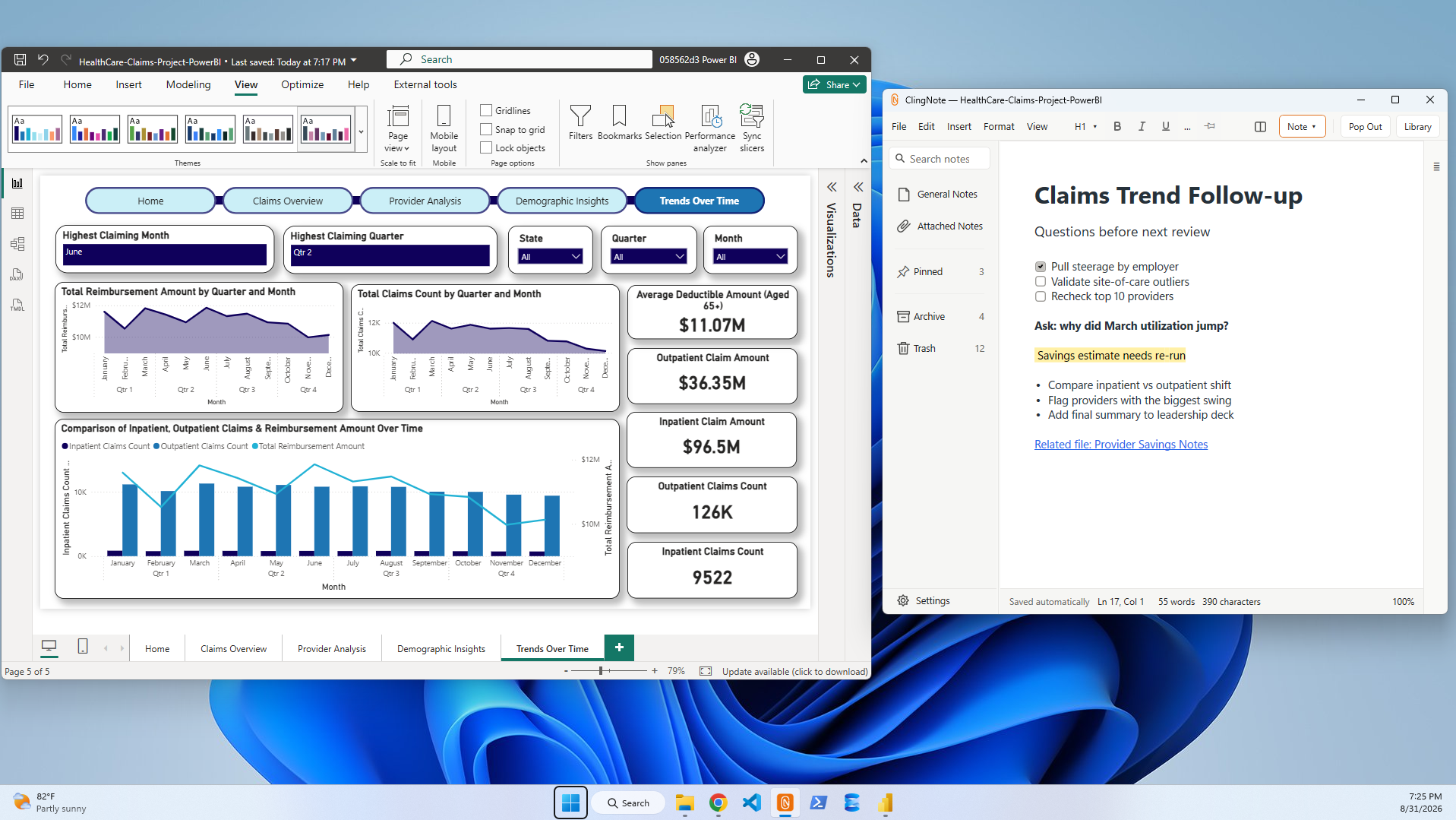
Give each report its own working memory
A separate general notebook can hold Power BI notes, but it still leaves you with the problem of finding the right note later. ClingNote approaches it from the other direction: when the report becomes the active work, its context can become the active note.
That is especially useful when you maintain many reports and bounce between unrelated requests during the day.
Useful Power BI note sections
Refresh and gateway notes, model changes, measures to revisit, stakeholder requests, validation steps, deployment history, source-system caveats, report-owner questions, and links to tickets or documentation.
Common questions
Does ClingNote connect to my Power BI data?
No. ClingNote is for working notes and context; it does not need access to the report's underlying data model.
Can different Power BI work have different notes?
Yes. Context following is designed so different work can surface different attached notes.
Can I still use ClingNote for normal notes?
Yes. General Notes are available for notes that do not belong to a specific file or app.
Keep the note with the work.
ClingNote is free to download and includes a 14-day Pro trial. No card or account is required to try context following.
Free Download — Direct