Keep the working context with the document.
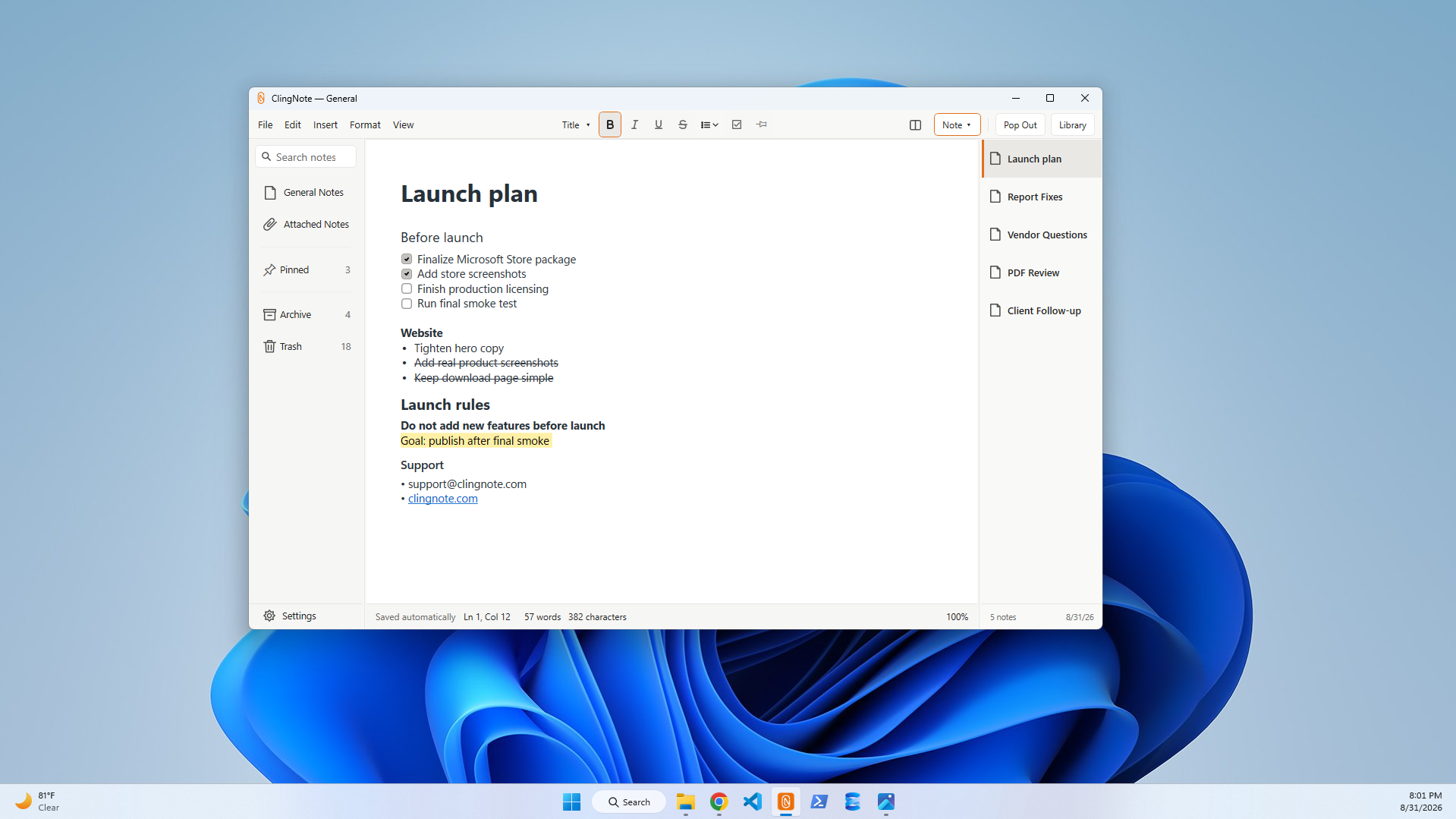
Drafting usually creates two kinds of information: the document itself and the private context around it. ClingNote gives that second layer somewhere to live without turning every thought into a comment or tracked change.
Not every note belongs inside the document
Word comments are excellent for feedback that belongs on a specific passage. But your own working context can be broader: sources to check, questions for a meeting, alternate wording, a list of sections still needing work, or the reason a decision was made.
An attached ClingNote can hold that context while the document stays focused on the actual deliverable.
Useful document-note ideas
Revision checklists, meeting questions, source links, approval notes, document history, follow-ups, alternate language, research snippets, and handoff context.
Common questions
Does ClingNote replace Word comments?
No. Use Word comments for feedback that belongs inside the document and ClingNote for the broader working context around it.
Can I format longer notes?
Yes. ClingNote supports rich formatting, headings, lists, checklists, links, and highlights.
Can I export a note?
ClingNote supports getting notes out of the app when you want a file copy.
Keep the note with the work.
ClingNote is free to download and includes a 14-day Pro trial. No card or account is required to try context following.
Free Download — Direct