Your Obsidian notes, back when you return to the work.
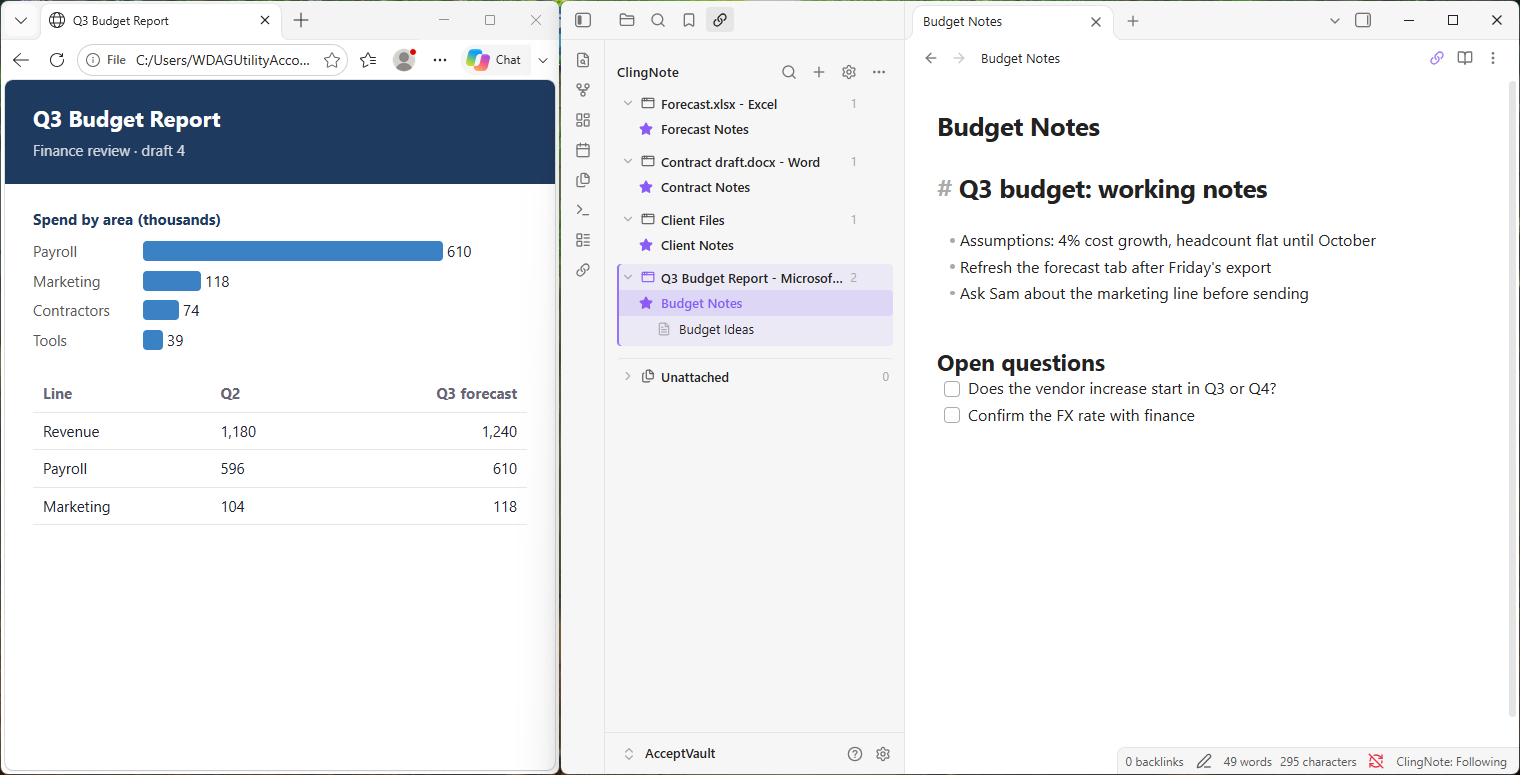
Keep writing in your own vault. Attach a note to the Windows file, app or web page it belongs to, and ClingNote brings that note forward when you come back to that work. Your notes stay plain Markdown, in your vault.
Set up in four steps
ClingNote for Obsidian is two small pieces: the plugin inside Obsidian, and a free Windows companion that tells it which file, app or page is in front. Install both once and you are done.
Download the companion
Windows 10 or 11, 64-bit · 54.6 MB · free · no administrator rights
Download for Windows
SHA-256:
0C456D73F572C0BEC6FEEBEB7DEBE0603B9B3A82B66AD880C389C70042CEA578The setup is code-signed with Microsoft Artifact Signing; Windows shows the publisher as Troy Burch. It installs to your user profile, adds no services or drivers, and never changes your notes. To update, quit it from its notification-area icon (right-click, Quit) and run the newer setup. To remove it, use Settings, Apps, Installed apps.
You never enter a license on this page or in the installer. Everything about the license is in Obsidian, under Settings, ClingNote, License & Pro.
What you get
A native sidebar lists every context with its notes. Give each context a Main note and any number of secondary notes, share a note across several contexts, or keep notes unattached. Rename contexts, give them icons, search, and drag and drop notes to attach, move or promote them.
Automatic switching opens the right Main note when you change work, in Chrome, Edge, Brave and Vivaldi pages, Windows Explorer folders, Notepad files and other apps. Pause it any time; private browsing windows pause it for you.
Free or Pro. Attaching notes, the sidebar and manual navigation are free. Automatic switching is part of ClingNote Pro: one $20 payment, no subscription, with a free 14-day trial. The same license also covers ClingNote for Windows, on up to 4 activations in total.
Private by design
The companion reads the title, path or address of the window you are using, on your computer only. It is never uploaded, and private browsing windows are not recorded. There is no telemetry, no analytics and no ads.
Only the companion ever contacts the ClingNote licensing service, over HTTPS, and only when you start a trial, activate or deactivate a license, press Refresh, or when a license needs renewing. The plugin itself talks only to the companion on your own computer. Attaching a note never edits it, and uninstalling leaves your vault exactly as it was.
Common questions
Do I need ClingNote for Windows to use the Obsidian plugin?
No. You can use either one or both. You only need the small free Windows companion for Obsidian, and the same license works for whichever you install.
Does ClingNote change my Obsidian notes?
No. Attaching a note only stores a link in the plugin's own data. Detaching a note, or an expired license, never deletes or edits a note.
What is free and what needs Pro?
Attaching notes, the sidebar, search, renaming, icons, drag and drop, and manual navigation are free. Pro adds automatic switching to the right note when you change work.
How does the license work?
ClingNote Pro is one $20 payment and one license key for ClingNote for Windows and ClingNote for Obsidian, with 4 activations in total. There is a free 14-day trial that starts only when you press Start trial in Obsidian, one per computer and shared with ClingNote for Windows.
Is my activity private?
Yes. The companion reads the title, path or address of the window you are using on your computer only, and private browsing windows are not recorded. There is no telemetry; licensing actions contact the ClingNote licensing service over HTTPS.
What does ClingNote recognise?
Files and folders in Windows, apps, and web pages in Chrome, Edge, Brave and Vivaldi. Excel, Word and Power BI documents are matched by window title, so two files with the same title can be confused.
Is it Windows only?
Yes. It needs Windows 10 or 11 and the desktop version of Obsidian. Mobile is not supported.
Keep the note with the work.
Install the plugin, install the companion, and attach your first note in a couple of minutes. Free to start, with a 14-day Pro trial. No card or account required.
Download the Windows companion